> ## Documentation Index
> Fetch the complete documentation index at: https://chatbase.co/docs/llms.txt
> Use this file to discover all available pages before exploring further.
# Custom Initial Messages
> Create personalized welcome experiences by setting custom initial messages that greet users when your AI Agent first loads, with support for dynamic content and user personalization.
### Prerequisites
A website with the Chatbase embed script already installed and working.
New to Chatbase? Check out [Your First Agent](/user-guides/quick-start/your-first-agent) to get started with the embed script first.
## Setting Up Custom Initial Messages
Configure initial messages using the JavaScript embed script to create personalized welcome experiences:
### Personalized Messages
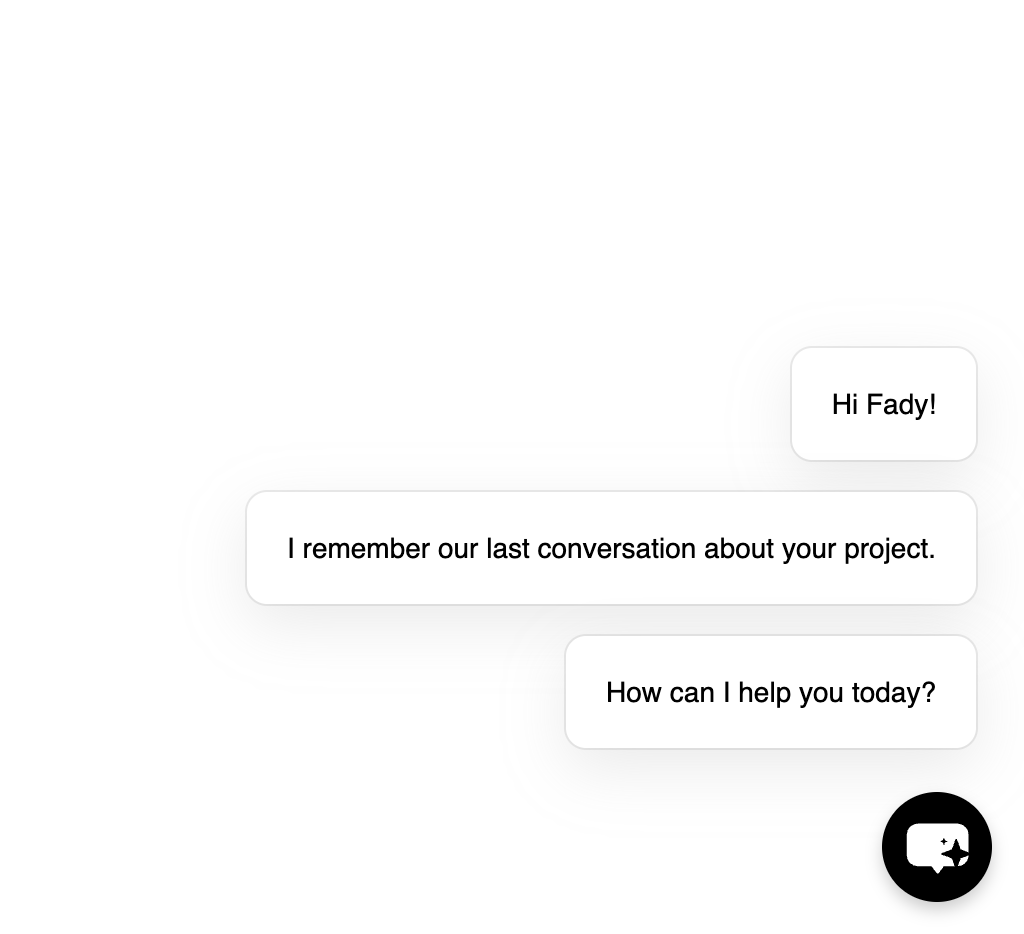
Add user-specific content to your greetings by combining user identification with custom messages for personalized experiences:
```javascript theme={null}
// Get user information (from your auth system)
const user = getCurrentUser();
// Set personalized messages
window.chatbase.setInitialMessages([
`Hi ${user.name}!`,
"I remember our last conversation about your project.",
"How can I help you today?"
]);
```
 ### Dynamic Content Examples
Create context-aware messages based on user behavior or current page:
```javascript theme={null}
// Based on current page
const currentPage = window.location.pathname;
let messages = ["Hello! I'm here to help."];
if (currentPage.includes('/pricing')) {
messages = [
"Looking at our pricing?",
"I can help you choose the right plan for your needs."
];
} else if (currentPage.includes('/support')) {
messages = [
"Need technical support?",
"I'm here to help resolve any issues you're experiencing."
];
}
window.chatbase.setInitialMessages(messages);
```
## Method Reference
### setInitialMessages()
Set the messages displayed when the agent first loads:
Array containing the messages to display in sequence
**Requirements:**
* Must be an array of strings
* Total character count limited to 1000 characters
Custom initial messages are shown only once per session. If a user refreshes the page or navigates to another page during the same session, the messages won't appear again to avoid creating an intrusive experience.
## Best Practices
**Write effective initial messages**
* **Keep messages concise**: Use short, clear messages that guide users effectively
* **Avoid lengthy paragraphs**: Break long content into multiple shorter messages
* **Be specific**: Mention what you can help with rather than generic greetings
* **Use action-oriented language**: Encourage users to engage with specific questions
**Use user data thoughtfully**
* **Respect privacy**: Only use information users have explicitly shared
* **Add value**: Personalization should enhance the experience, not just show off data
* **Handle missing data**: Always have fallback messages for when user data isn't available
* **Test thoroughly**: Verify personalized messages work with different user states
**Optimize when messages are set**
* **Set early**: Configure initial messages as soon as possible in your application lifecycle
* **Wait for embed script**: Ensure Chatbase script has loaded before calling `setInitialMessages`
* **Consider async operations**: If fetching user data, handle loading states gracefully
* **Cache when appropriate**: Store computed messages to avoid recalculating on every visit
### Dynamic Content Examples
Create context-aware messages based on user behavior or current page:
```javascript theme={null}
// Based on current page
const currentPage = window.location.pathname;
let messages = ["Hello! I'm here to help."];
if (currentPage.includes('/pricing')) {
messages = [
"Looking at our pricing?",
"I can help you choose the right plan for your needs."
];
} else if (currentPage.includes('/support')) {
messages = [
"Need technical support?",
"I'm here to help resolve any issues you're experiencing."
];
}
window.chatbase.setInitialMessages(messages);
```
## Method Reference
### setInitialMessages()
Set the messages displayed when the agent first loads:
Array containing the messages to display in sequence
**Requirements:**
* Must be an array of strings
* Total character count limited to 1000 characters
Custom initial messages are shown only once per session. If a user refreshes the page or navigates to another page during the same session, the messages won't appear again to avoid creating an intrusive experience.
## Best Practices
**Write effective initial messages**
* **Keep messages concise**: Use short, clear messages that guide users effectively
* **Avoid lengthy paragraphs**: Break long content into multiple shorter messages
* **Be specific**: Mention what you can help with rather than generic greetings
* **Use action-oriented language**: Encourage users to engage with specific questions
**Use user data thoughtfully**
* **Respect privacy**: Only use information users have explicitly shared
* **Add value**: Personalization should enhance the experience, not just show off data
* **Handle missing data**: Always have fallback messages for when user data isn't available
* **Test thoroughly**: Verify personalized messages work with different user states
**Optimize when messages are set**
* **Set early**: Configure initial messages as soon as possible in your application lifecycle
* **Wait for embed script**: Ensure Chatbase script has loaded before calling `setInitialMessages`
* **Consider async operations**: If fetching user data, handle loading states gracefully
* **Cache when appropriate**: Store computed messages to avoid recalculating on every visit